
Dashboard credentials
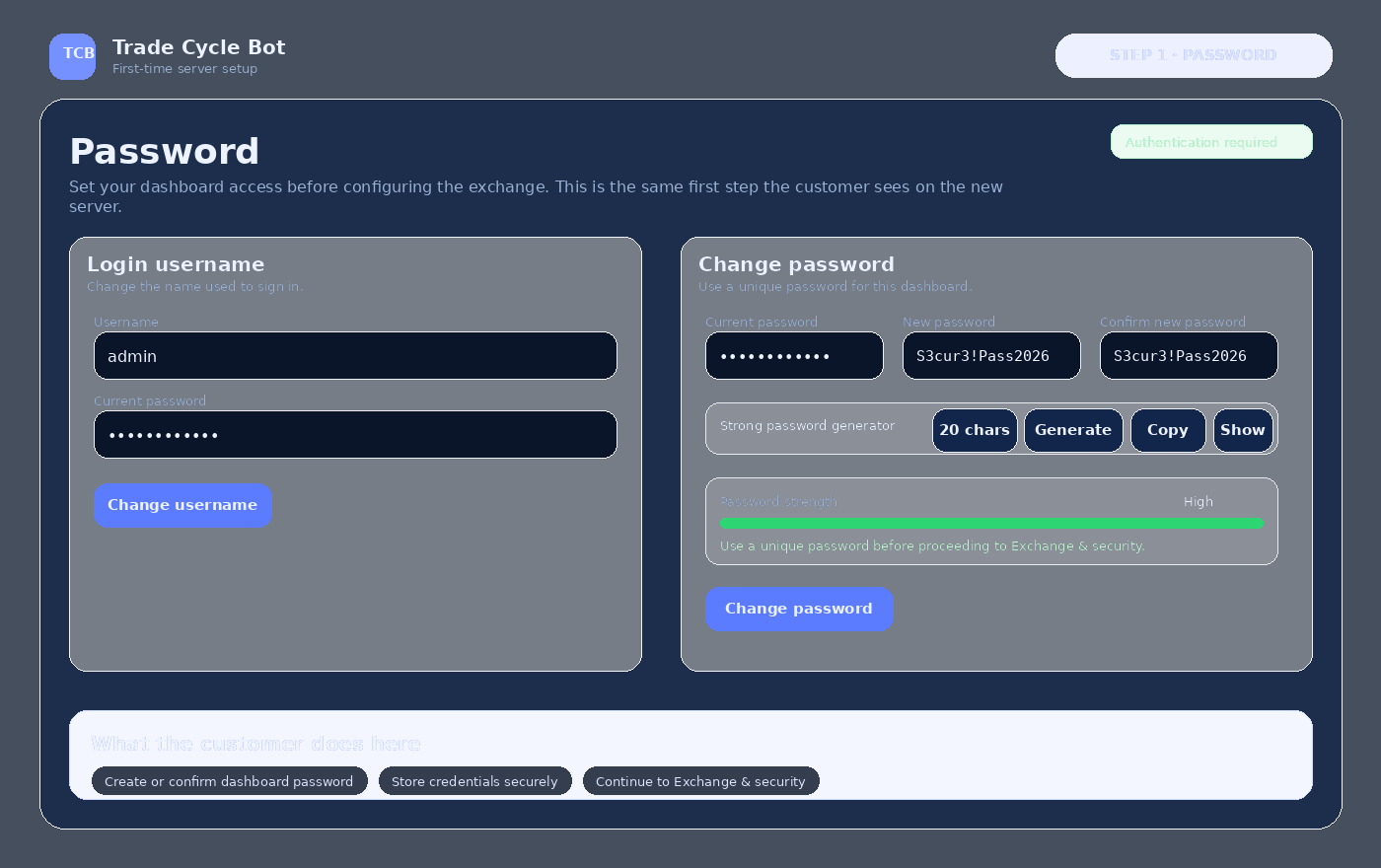
The first step will be to define the password used to access the TCB server dashboard.
This guide lets prospective customers see, before purchasing, exactly which steps they will follow when their server is delivered: create a password, configure the exchange and validate security before starting the bot.
The goal is to make the first access to the server simple and secure. These are the details the customer will normally need to have ready.
The first step will be to define the password used to access the TCB server dashboard.
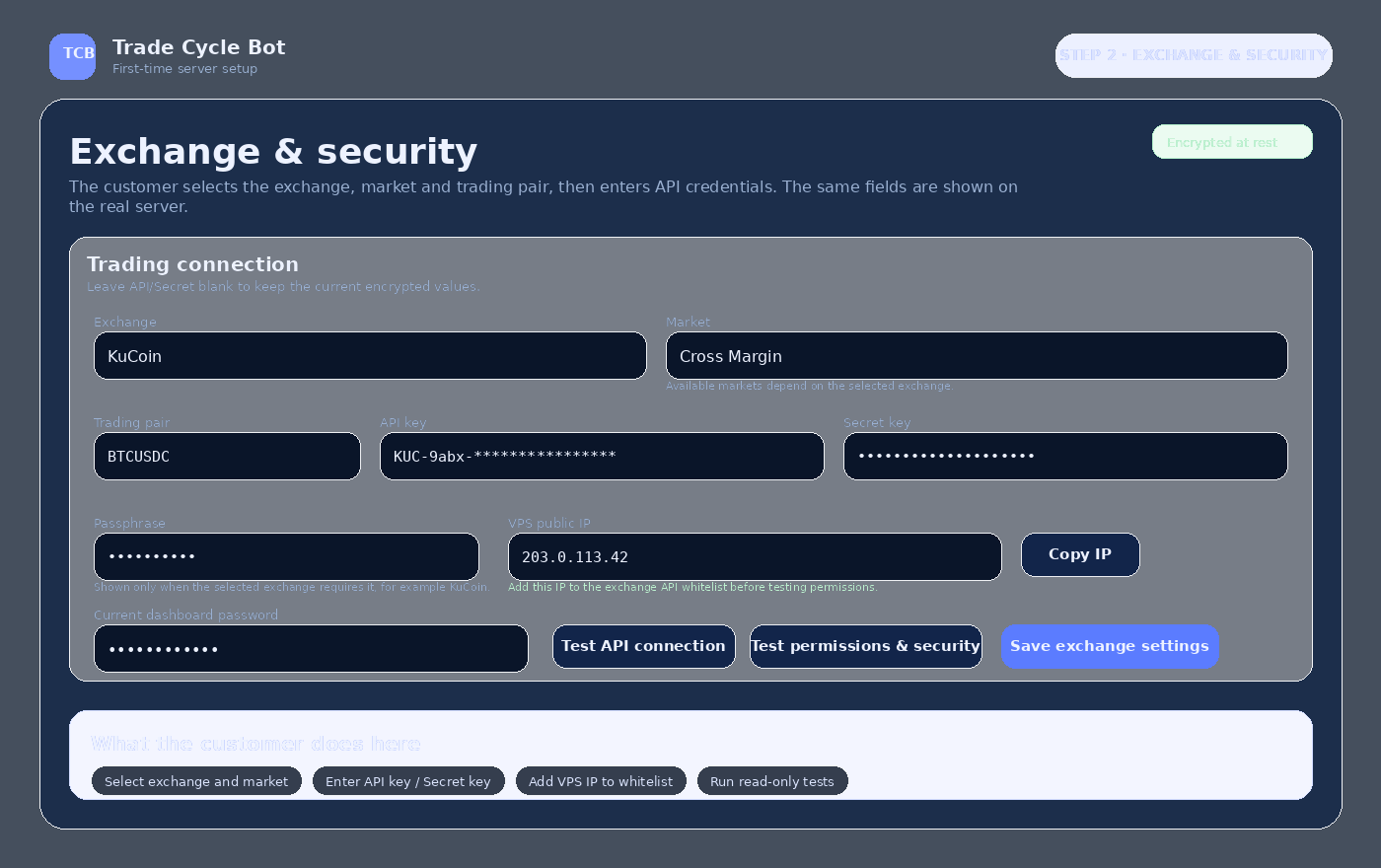
Exchange, market, trading pair, API key, Secret key and Passphrase when the exchange requires it.
The server displays its public IP so the customer can add it to the exchange API whitelist.
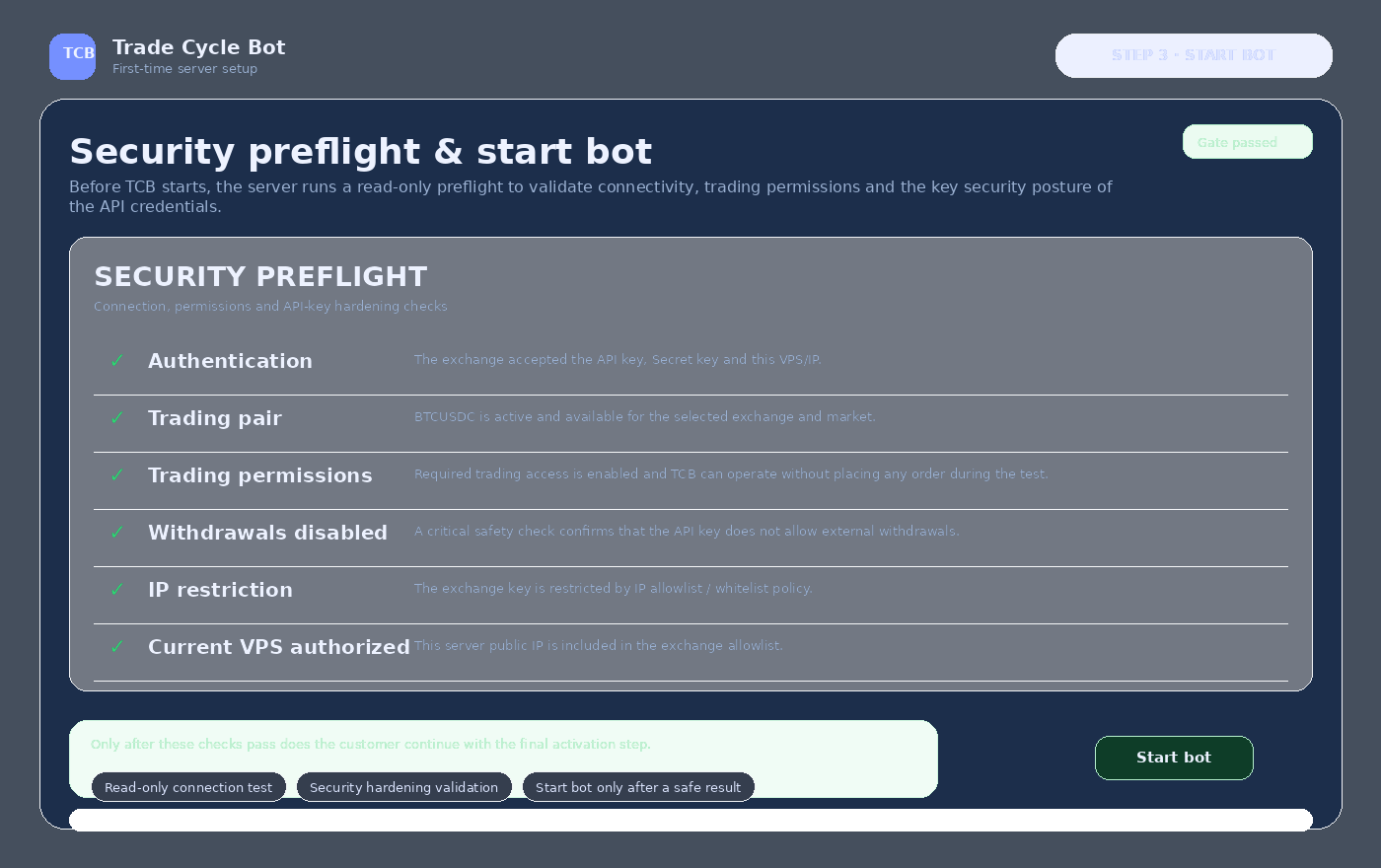
Before activating the bot, TCB verifies authentication, trading permissions, the absence of withdrawals and authorization of the current VPS IP.
On the first login the customer defines or changes the dashboard password. This step exists to secure access before any exchange credentials are entered.
Configure the exchange and API credentials from the security section of your TCB server.
Before starting the bot, TCB checks the connection and security settings using read-only tests without placing orders.
This visual guide avoids surprises and makes it easier to prepare the API correctly before the bot is started for the first time.
You can review the plans or create your account to begin the commercial process in the portal.